The Sinking City 2 has arrived as Frogwares' new title that brings its dark atmospheric series to PC on UE5.8, the newest version of Unreal Engine 5. The game's foggy and dim world is this time built with a far more modern rendering pipeline; this brings both curiosity and some question marks on the technical side. The stutter problem that has become almost a tradition in Unreal Engine 5 games, and the load that heavy Lumen lighting places on hardware, are among the first points to examine in this title as well. In this article, we take a compact look at the game's PC performance, its settings options, its prominent visual issues, and what you can expect on different graphics cards.
Test setup: How were the measurements taken?
The measurements used AMD's Ryzen 9 7950X3D processor, 32GB of DDR5 memory running at 6000MHz, and the Windows 10 64-bit operating system. On the graphics card side, there is a fairly wide range: from AMD, the Radeon RX 6900XT, RX 7900XTX, and RX 9070XT; from NVIDIA, the RTX 2080Ti, RTX 3080, RTX 4090, RTX 5080, and RTX 5090. GeForce 610.88 and Radeon Adrenalin Edition 26.7.1 were preferred as drivers. This selection makes it possible to see how both cards from several generations ago and the newest generation behave in the same scene.
Since the game does not have its own benchmark tool, the measurements were taken manually in a demanding scene found in the early chapters. The scene in question includes a high-effect-density section that puts load on both the processor and the graphics card. Choosing such a scene actually makes sense: a segment taken from actual gameplay, rather than a synthetic test tool, better reflects the load players will actually encounter. However, one should not forget this: measurements taken from a single scene do not paint a definitive picture for the entire game; results may differ in lighter indoor areas or calmer sections.
Graphics settings and the current state of FSR support
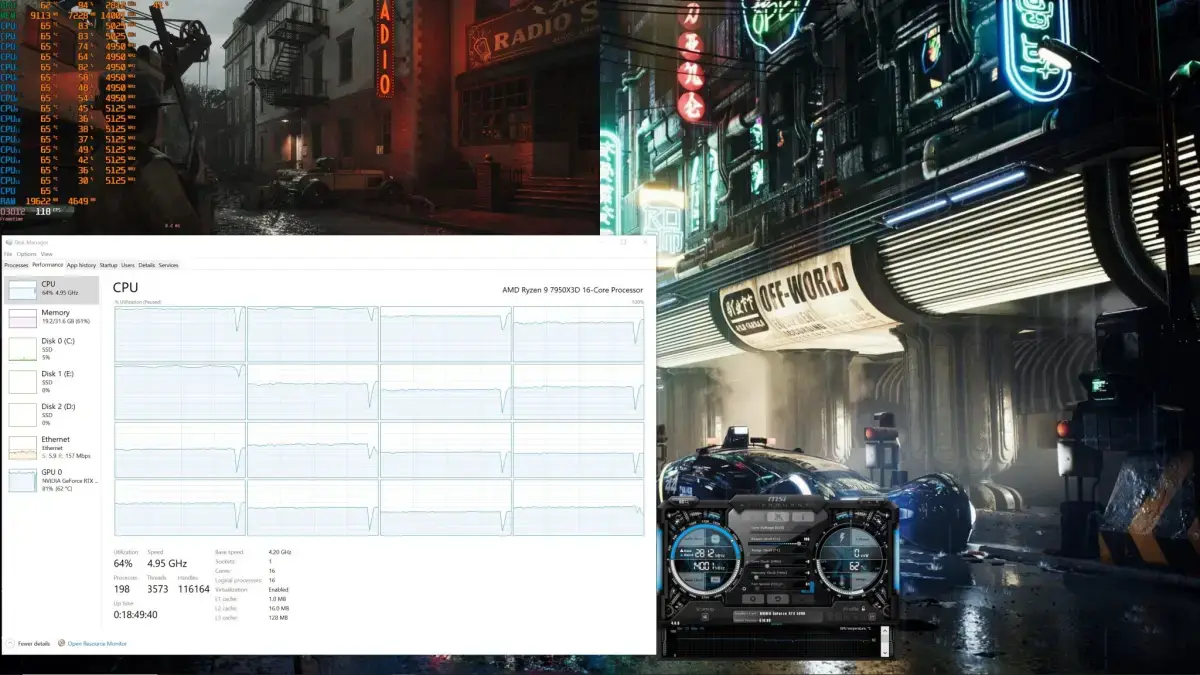
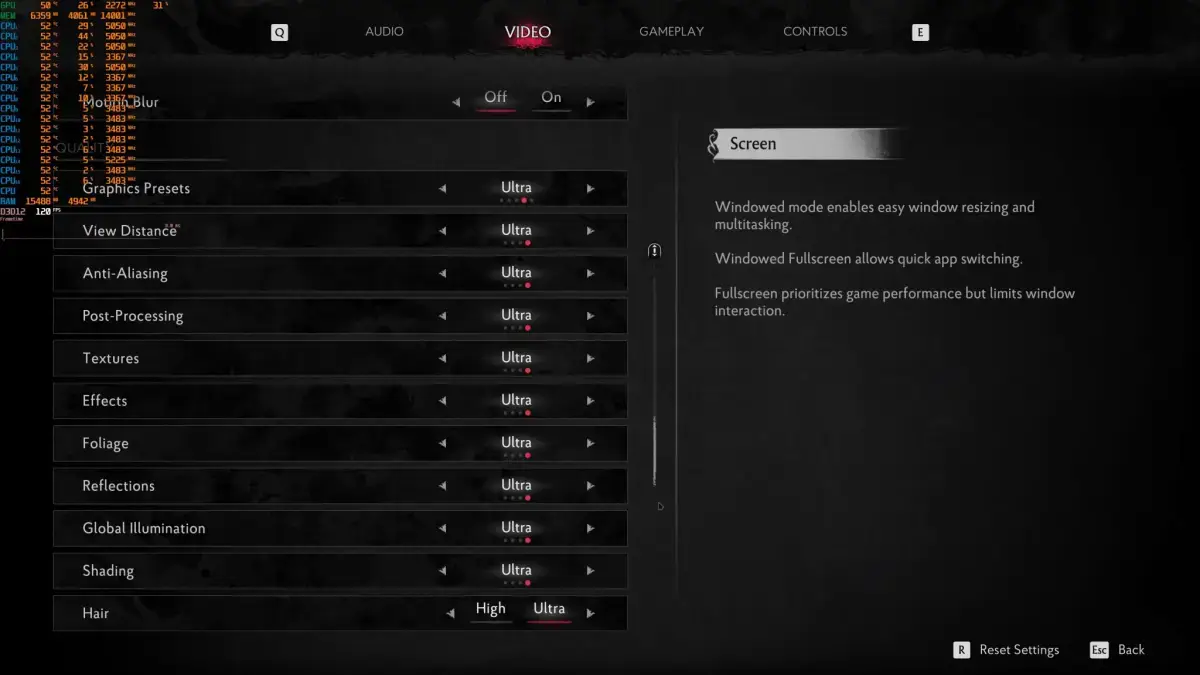
The game has several graphics settings the player can tinker with: View Distance, Effects, Textures, Global Illumination, and Reflections are the main ones. In other words, it offers not only preset quality tiers but also individual fine-tuning; this is important flexibility for players with different hardware. Since most settings directly affect frame rate, the options that will likely make the biggest difference for someone playing on a mid-range card are probably Global Illumination and Reflections.
The interesting part is that although the settings menu appears as if AMD FSR is supported, there is currently no FSR support in the game. The title only supports NVIDIA DLSS 4.5, and with the Multi-Frame Gen feature. According to Frogwares' statement, the reason is that AMD has not yet released the plugin required for Unreal Engine 5.8; when it is released, FSR support will be added to the game. So this is less a developer oversight and more a delay in the engine-side plugin schedule.
This situation is especially annoying for AMD users, because in a game where Lumen lighting is heavy, upscaling technology is the most practical way to shore up frame rate. On the NVIDIA side, since DLSS 4.5 and multi-frame generation can come into play, next-generation RTX cards gain a serious advantage. AMD owners, meanwhile, currently have to either play at native resolution or wait for the FSR plugin to arrive. This is an important detail that could affect purchase decisions during the game's launch period.
CPU side: Six cores are enough, no stutter
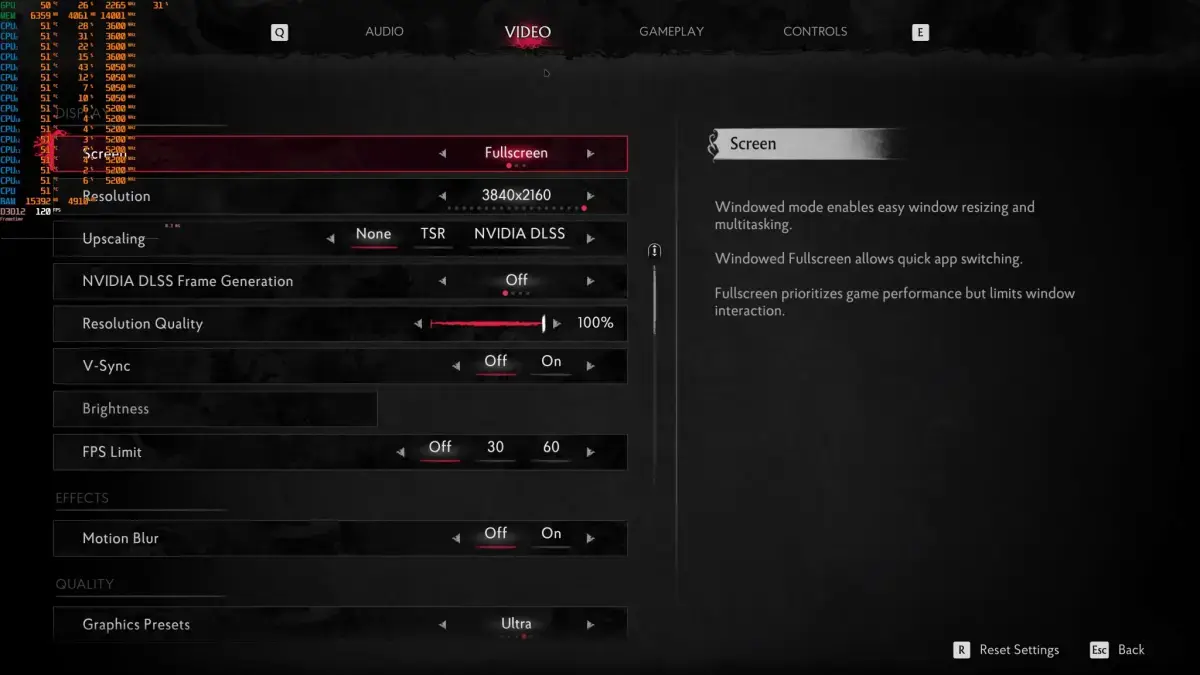
The game apparently benefits from 6 cores/threads. This is a reasonable level for modern titles; on processors with more cores, single-core power and cache become more decisive rather than expecting extra performance. Indeed, at 1080p/Ultra settings, even the RTX 5090 can be bottlenecked by the Ryzen 9 7950X3D; in other words, at this resolution the limit is often drawn not by the graphics card but by the processor. This shows that the game is not light on the CPU side, but it is not exaggeratedly heavy either.
The really notable point is that no stutters were experienced at all. Even on a simulated dual-core system, the game ran without stuttering; this is not a picture often seen in Unreal Engine 5 titles. Moreover, this result means a serious improvement compared to the game's demo version: in the demo, there were stutters while exploring the environment. Since sudden freezes seen in the first hours due to shaders compiled in the background in Unreal Engine 5 games have become almost a tradition, the fact that this has disappeared in the final version is a significant plus.
Still, these results should be read from a single scene. If more crowded areas, more AI actors, or different effect densities appear in later sections of the game, the picture may change. But the current measurements show that serious effort was spent on optimization compared to the demo period.
GPU performance by resolution
At 1080p/Ultra settings, most of the tested cards manage to exceed 60 FPS. Even a card like the RTX 3080 delivers a smooth experience; of course, using a G-Sync supported monitor here noticeably eases the experience. So for players with a mid-to-high-end card, the game remains at a playable level at 1080p.
On the 1440p/Ultra side, the best five cards can provide a stable 60 FPS experience. This suggests that 1440p is still the sweet spot for this game: there is a reasonable balance between high resolution and acceptable frame rate. Of course, the phrase "stable 60 FPS" here does not mean there will be no small fluctuations depending on scene density; but the overall picture is stable.
- 1080p/Ultra: Most of the tested cards are above 60 FPS; the RTX 3080 delivers a smooth experience with G-Sync.
- 1440p/Ultra: The best five graphics cards stay at a stable 60 FPS level.
- Native 4K/Ultra: The only card that can exceed 60 FPS is the RTX 5090.
When it comes to Native 4K/Ultra settings, things get difficult: the only graphics card that can exceed 60 FPS is the RTX 5090. This means that for players targeting 4K, an upscaling technology like DLSS has become almost mandatory. Since FSR is not available on the AMD side, someone playing at 4K with an AMD card currently faces a rather challenging picture.
The difference between the demo and the final version is also noteworthy: in the same scene, the RTX 5090 hovered between 55-62 FPS in the demo, while in the final version it always stays above 60 FPS. This is a visible gain compared to the pre-release version and shows that the optimization work has paid off.
Visual issues: Ghosting and Lumen artifacts
Unfortunately, the good news on the performance side is not matched in image quality. Clear ghosting and trailing issues are visible on falling leaves. The annoying part of this issue is that it can appear not only when upscaling technology is on, but also at native resolution and when the upscaler is off.
There are also serious artifacts on the Lumen side. Especially in mirror reflections, the image is full of artifacts and looks completely broken. Since Lumen's reflections are generally calculated at low resolution and rely on a denoising stage, such distortions are common in motion-heavy scenes; however, here the problem shows itself even at Max settings.
Such issues are additionally annoying for a title that invests in its atmosphere. In a game working with foggy, reflective, and dim environments, broken mirror reflections can be distracting. Still, some of these issues can be mitigated with engine-side updates or community solutions; because in Unreal Engine games, intervening in image quality is generally in the player's hands.
The matter of maximum settings being locked
One claim highlighted in the analysis is that the developers deliberately locked the game's Max settings. This is an approach also seen in other titles using Unreal Engine 5. The reason is quite simple: players can max out settings and then complain that performance is bad; to prevent this, studios keep the upper limit at a level they determine.
The disadvantage of this approach is clearly seen in this game: visual artifacts appear even at Max/Ultra settings. In other words, no matter how powerful the player's hardware is, they cannot solve these issues by raising image quality. This is a situation that does not meet the expectation that high-end hardware equals a cleaner image.
The good news is that since the game is based on Unreal Engine 5, PC players can try to improve image quality through the Engine.ini file or with mods. Although such interventions are not always problem-free, fine-tuning tweaks published by the community can emerge quickly. So it is theoretically possible to mitigate some of the visual issues without waiting for an official patch.
Conclusion: Who should expect what from which card?
Looking at the overall picture, The Sinking City 2 is in noticeably better shape than its pre-release demo. The game runs properly on many graphics cards and no stutter issues are experienced; for an Unreal Engine 5 title, this is a pleasant surprise. However, AMD users will have to wait for AMD to release the FSR plugin for UE5.8. NVIDIA users, on the other hand, can use DLSS 4.5 to push performance even higher; enabling this technology in a game that uses Lumen is already recommended.
In summary: if you have a card around the RTX 3080 level, you can play comfortably at 1080p, and at 1440p with more careful settings. For those targeting 4K, DLSS-supported next-generation NVIDIA cards are currently the safest option; on the AMD side, you need to either wait until FSR arrives or lower the resolution. The visual artifacts and locked settings remain topics that need to be resolved in upcoming updates or with mods. So the game is technically playable, but it is still too early to say it is a flawless PC version.