The Blood of Dawnwalker has become one of the most talked-about technical topics among PC players in recent weeks. The fact that the game is built on Unreal Engine 5 and comes from a relatively new studio like Rebel Wolves had raised expectations; however, when we get down to the benchmarking table, the picture is not that bright. Heavy graphics card demands, frame stutters that cannot be fully eliminated, and the mismatch between the visuals on screen and the performance desired are the standout lines of the technical report card. In this article, we are not discussing the game's story, combat mechanics, or atmosphere, but directly how it runs on your computer. The aim is to clearly reveal what you can expect at which settings with your hardware.
The game in brief: who made it, what did it come with?
The Blood of Dawnwalker is an action RPG published by Bandai Namco earlier this month. The studio behind the game is Rebel Wolves, and the game is built on the Unreal Engine 5 engine. This engine choice brings with it an equation frequently discussed on PC in recent years: the promise of impressive lighting and detailed environments, but a high hardware appetite. The important point for enthusiasts of the genre is this: the game offers a long-winded, exploration-based experience, and a large portion of players can encounter serious performance fluctuations even in the first hours. Therefore, the technical state becomes a factor directly affecting the game's enjoyment level. So it would be more accurate to read the following findings not as a game review, but as a hardware and settings guide.
How were the measurements made?
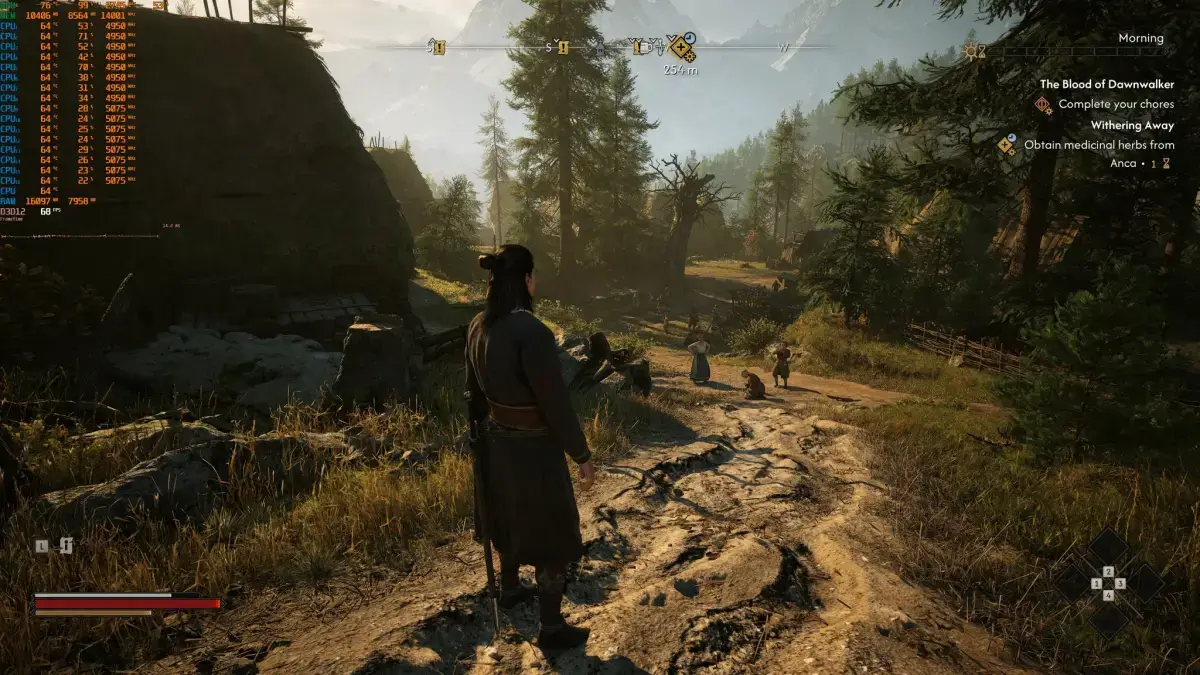
The most annoying aspect of performance analyses is that not every game offers an in-game benchmarking tool. The Blood of Dawnwalker is no exception; there is no built-in benchmark mode in the game. Therefore, the measurements were carried out in the first village encountered in the early sections of the game. This area stands out as one of the most demanding scenes you can encounter early in the game; so the values obtained from here give a healthy idea about the game's overall trend. The test setup used an AMD Ryzen 9 7950X3D processor, 32 GB DDR5 memory running at 6000 MHz, and Windows 10 64-bit operating system. On the graphics card side, there was a wide range: from AMD, Radeon RX 6900XT, RX 7900XTX, and RX 9070XT; from NVIDIA, RTX 2080Ti, RTX 3080, RTX 4090, RTX 5080, and RTX 5090. On the driver side, GeForce 616.92 and Radeon Adrenalin Edition 26.9.1 were preferred. This distribution makes it possible to see how both older generation and the most current cards are positioned in the game.
Settings menu and technology support
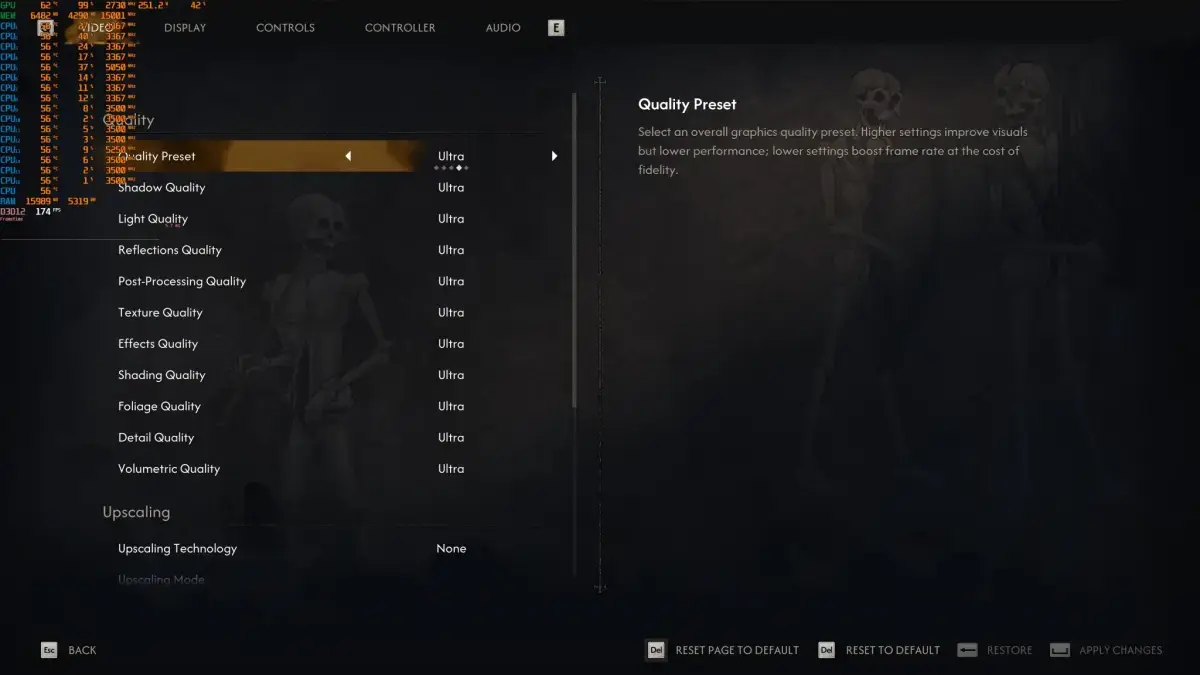
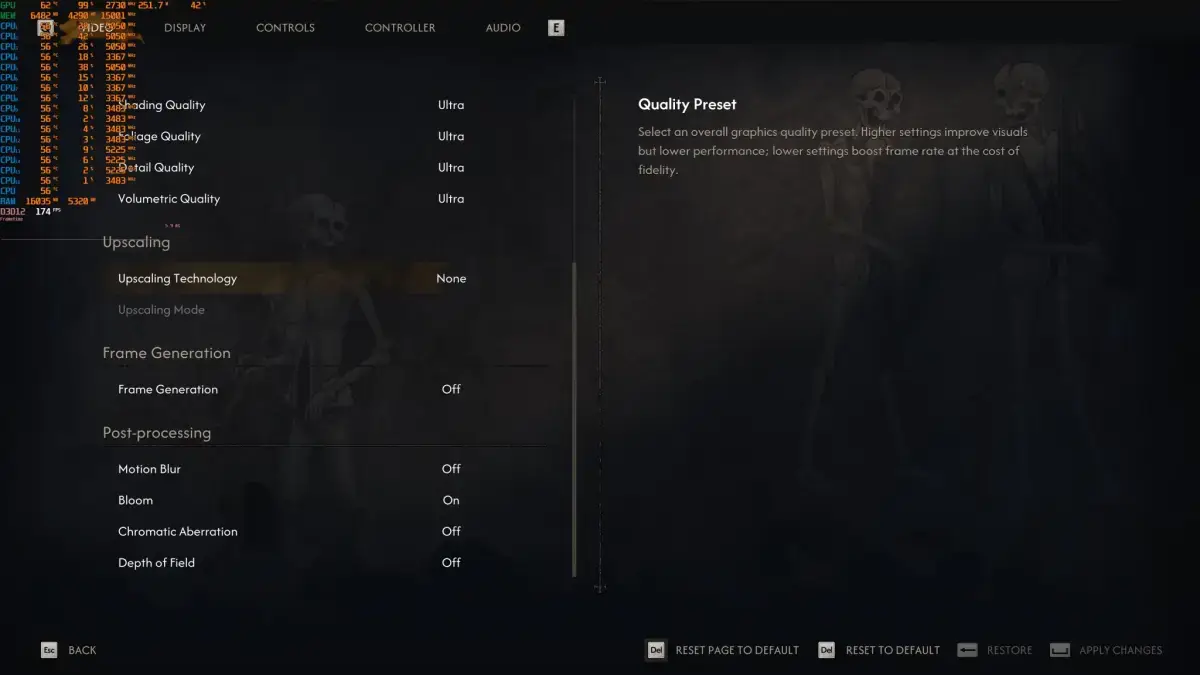
Rebel Wolves has placed a useful number of options in the settings menu. You can adjust settings such as shadows, lighting, textures, shading, and vegetation separately. On the upscaling technology side, there is support for Intel XeSS, AMD FSR, and NVIDIA DLSS; this means that no matter which graphics card you use, you have a performance trump card. On the frame generation side, support is more limited: only AMD FSR Frame Gen and NVIDIA DLSS Frame Gen work. However, there is no DLSS Multi-Frame Gen support; so you cannot benefit from the multi-frame generation advantage offered by the latest generation cards in this game. Since the prerequisite for using frame generation healthily is already having a reasonable base frame rate, this shortcoming is felt more especially in systems with low FPS.
A structure that leans heavily on the graphics card
The clearest result revealed by the measurements is that the game has a graphics card-oriented structure. Even at 1080p resolution, a card like the NVIDIA RTX 5090 can be run at full capacity. In practice, this means: most players will be limited not by their processor, but by their graphics card. Having a powerful processor alone does not guarantee a smooth experience; the bottleneck occurs largely in the graphics unit. This also shows how dependent the game has become on upscaling technologies. In short, if you are not planning to use tools like DLSS or FSR, a serious graphics card investment is required to reach the frame rate you want.
How does the picture change as resolution increases?
Reading the results on a resolution basis better explains the game's scaling character. At 1080p Ultra settings, it is possible to exceed 60 FPS with the three most powerful cards tested: RTX 4090, RTX 5080, and RTX 5090. On the AMD side, the Radeon RX 9070XT and RX 7900XTX can also offer a smooth experience; however, for this you need to use a FreeSync-supported monitor. At 1440p Ultra settings, the equation hardens: only the RTX 4090 and RTX 5090 can run the game smoothly. At native 4K and Ultra settings, there is no card that approaches 60 FPS. When these three data points are read together, it is seen that the game penalizes very quickly as resolution increases.
- 1080p / Ultra: Above 60 FPS with RTX 4090, RTX 5080, and RTX 5090; RX 9070XT and RX 7900XTX smooth with FreeSync.
- 1440p / Ultra: Only RTX 4090 and RTX 5090 offer a comfortable experience.
- Native 4K / Ultra: No graphics card approaches 60 FPS.
Which settings are a realistic target?
The good news is that the game's settings menu really works. When switching to High settings, the picture softens significantly; 60 FPS can be achieved at native 4K on the RTX 5090. Therefore, staying away from Ultra settings as much as possible seems like the most sensible starting point. Instead, proceeding by mixing High and Ultra settings allows you to gain performance without sacrificing too much visual quality. Then, by enabling an upscaling technology (DLSS, FSR, or XeSS), a healthy base frame rate can be obtained. After this base is established, using Frame Gen will make the game feel much smoother. The order being like this is important; turning on frame generation while the base is weak can increase the feeling of latency and spoil the experience.
Did the visuals bring the expected leap?
Modern lighting solutions like Unreal Engine 5 and Lumen are often associated with great visual promises. However, The Blood of Dawnwalker does not create the expected impact in this regard; the analysis notes that the game can sometimes look flat and bland. This means that the equation between performance and visuals is broken against the player: the high hardware demand is not fully matched on screen. As an interesting note, it is suggested that the game could benefit significantly from a DLSS 5 mod visually; so if the mod community gets involved, a complete overhaul of the visuals could come up. Such an expectation is one of the most concrete indicators that the game's current visual quality is open to debate. Of course, this does not mean that the engine or art direction alone is to blame; optimization choices also have a significant share in this equation.
Frame stutters: the most annoying part
The problem that best explains that performance is not just about frame rate is stutters. The analysis reports that camera stutters previously reported have still not been fixed by the developers. In addition to this, traversal stutters are added; that is, momentary freezes experienced while moving towards new areas. To completely ignore camera stutters, you need to turn the camera very slowly, which is not a natural way to play. The comparison point is also quite striking: it is stated that in this state, the experience lags behind the smoothness of Oblivion Remastered. Since these stutters are felt even when the frame rate is high, the problem is not only related to weak hardware. Such micro stutters drag down the game's overall perception more than frame rate numbers.
Conclusion: there is good news and bad news
To sum up, the technical side of the game paints a mixed picture. The positive aspect is that the settings are truly scalable; you can significantly increase performance by lowering graphics options. This is not a merit that comes automatically in every game, and it should be underlined. The negative aspect is that the high graphics card demand does not match the visuals on screen and the widespread stutters. The closing assessment of the analysis is also in this direction: the game is currently described as a technically problematic release and awaits serious post-launch optimization work. This should be read not as a game criticism, but as a technical evaluation; because the focus of the criticism is not gameplay, but the performance choices of the engine and the studio. The practical recommendation for the end user is this: if your system is borderline, do not try Ultra settings at all, start with a mix of High and Ultra, enable upscaling technology, and leave Frame Gen to the last step. If the patches released in the coming period solve the stutter issues, the game's fate may change; otherwise, it seems inevitable that the mod community and community patches will step in. This once again reminds us of a pattern we frequently encounter in Unreal Engine 5-based releases in recent years: the engine's potential is high, but it is optimization that brings the job to completion.