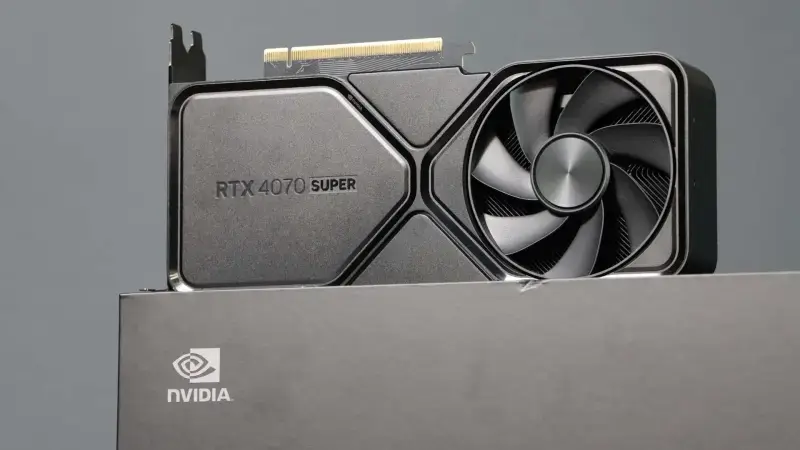
Nvidia made Multi Frame Generation (MFG), introduced with DLSS 4, an RTX 50 series exclusive. Since late August, community mods published on GitHub have been getting around that restriction on RTX 40 cards such as the RTX 4070 Super, unlocking 3x, 4x and even 6x multipliers in games that already support DLSS Frame Generation. The frame counter can climb dramatically, but there are real trade-offs in latency, image quality and account safety.
Why this matters
RTX 40 cards are still everywhere. In the August 2026 Steam Hardware & Software Survey, the RTX 40 models listed add up to roughly 19.6% of all GPUs, compared with about 17.9% for the RTX 50 models. The most common members of the family are the RTX 4060 Laptop GPU (3.84%) and the desktop RTX 4060 (3.60%), while the RTX 4070 Super sits at 1.49%. In other words, around one in five GPUs on Steam belongs to a generation that is officially locked out of Nvidia's newest frame generation feature.
What MFG is and how it differs from 2x Frame Generation
Nvidia first introduced frame generation in 2022 with the RTX 40 series as part of DLSS 3. It inserts one AI-generated frame between two rendered frames, at most doubling the displayed frame rate; Nvidia calls this DLSS Frame Generation. Multi Frame Generation, announced with DLSS 4 in January 2025, generates three extra frames per rendered frame for a 4x multiplier. DLSS 4.5, released on March 31, 2026, added 5x and 6x modes plus Dynamic MFG, which adjusts the multiplier on the fly to match the display's refresh rate.
| Feature | RTX 40 (official) | RTX 50 (official) |
|---|---|---|
| DLSS Frame Generation (2x) | Yes | Yes |
| Multi Frame Generation (3x-4x) | No | Yes |
| 5x and 6x (DLSS 4.5) | No | Yes |
| Dynamic MFG | No | Yes |
Nvidia's reasoning
Nvidia's RTX Blackwell architecture whitepaper ties MFG to three hardware features: 5th-generation Tensor Cores with more compute for the AI models that calculate optical flow and generate multiple frames; the AI Management Processor (AMP), which enables better scheduling of DLSS AI work, graphics rendering and the frame pacing algorithm; and hardware Flip Metering. According to Nvidia, DLSS 3 Frame Generation relied on CPU-based pacing whose variability can compound as more frames are added, hurting smoothness, so Blackwell moves frame pacing to the display engine. The wording is worth noting: Nvidia says these Blackwell-only features enable DLSS 4 "to work effectively." That is exactly what the mods put to the test, not whether MFG can run on RTX 40 at all, but how well it runs without that hardware help.
How the unlock works
The best-known tool is RTX40MFG-Unlock, released under the MIT license by a developer called dashdogy. First published on August 29, 2026, it ships as a single DLL that you rename to a proxy name the game loads early, such as version.dll or dinput8.dll, and place next to the game's executable. After enabling Frame Generation in game, pressing Backspace opens the mod's menu, where you can pick a fixed multiplier up to 6x or a dynamic mode that targets your refresh rate or a custom FPS. DirectX 12 is the main target; Vulkan and RTX 30 support are experimental.
Under the hood, the mod modifies the GPU architecture query inside the DLSS Frame Generation (DLSS-G) components the game loads, and adjusts the interpolation path so that multiple generated frames land at the right moments between rendered frames. That is why the game must already ship with a Streamline-based DLSS Frame Generation integration. This is not a universal injector that adds MFG to any DirectX game.
There is also an easier route: ReShade HDR Installer (RHI) offers an RTX 40 MFG Unlock component among its extras. According to the tool's own description, it enables DLSS MFG multipliers beyond 2x (up to 6x) on RTX 40 cards via Ultimate ASI Loader, with a one-click install.
These mods are built against specific DLSS-G versions, and RTX40MFG-Unlock's release notes list which versions are accepted and which are rejected. When DLSS-G 310.9.1 arrived, for example, the mod did not work with it until the developer added support in v1.2.1 on September 9.
What to expect
- A higher frame counter: Displayed FPS rises noticeably with the multiplier, but because generating frames also costs GPU time, the gain does not scale one-to-one with the multiplier.
- No latency reduction: Generated frames never pass through the game engine, and input is only processed on real rendered frames. Responsiveness stays tied to the base frame rate you get with MFG off.
- Frame pacing: By Nvidia's own account, without hardware Flip Metering pacing variability can compound as extra frames are added. On RTX 40 this can show up as stutter or uneven motion even when the FPS number looks high.
- Visual artifacts: The more frames that are predicted between two real ones, the greater the risk of ghosting and flicker. The mod's own README states that artifacts, freezes, black screens and crashes remain possible.
- VRAM pressure: The frame generation model needs video memory too. On 12 GB cards like the RTX 4070 Super, games that already push memory limits with high textures and ray tracing may start to stutter.
The risks
This is not a configuration Nvidia supports, so there is no official help if something goes wrong. Because the mods depend on specific DLSS-G versions, a new version arriving through the Nvidia App, a driver or a game patch can disable the mod overnight or cause crashes.
The biggest risk is anti-cheat. These tools work by loading a DLL into the game process or modifying its components, which can clash with anti-cheat software. The developers of OptiScaler, which works in a similar way, explicitly warn that using it in online games may trigger anti-cheat and lead to bans. Keeping these mods out of multiplayer games is the safest approach, and you use them at your own risk.
Who should try it: a quick checklist
- You need an RTX 40 series card; RTX 30 support is experimental.
- The game should ideally run on DirectX 12 (Vulkan support is experimental) and offer DLSS Frame Generation in its settings menu.
- Stick to single-player games without anti-cheat.
- The game should already feel smooth with MFG off; generated frames will not fix a low base frame rate.
- Frames beyond your monitor's refresh rate add nothing to smoothness, so high multipliers only make sense on high-refresh displays.
- Back up the game folder before installing; removing the files you added is the simplest way to undo it.
- After every Nvidia App, driver or game update, check the mod's release notes.
In short, these mods give RTX 40 owners a way to try a feature Nvidia reserved for its newest generation. Just remember that a bigger FPS number does not mean faster response, and the costs in stability and account safety are real. For the official side of the story, Nvidia's DLSS 4.5 announcement is a good starting point.