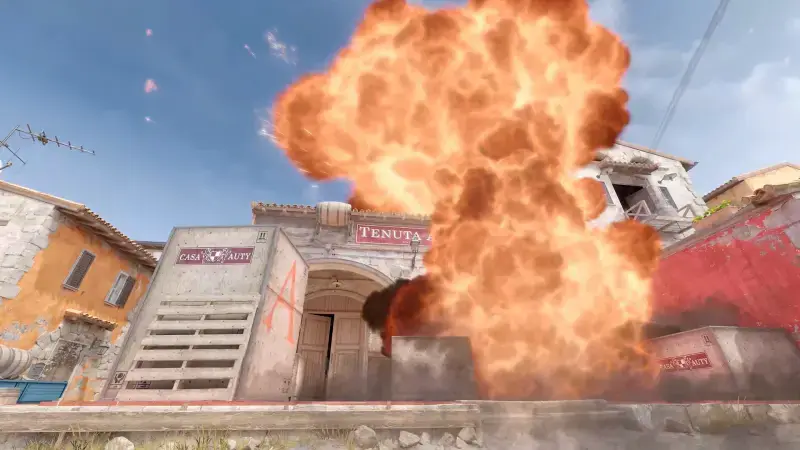
Since moving to the Source 2 engine, Counter-Strike 2 asks noticeably more of your hardware than CS:GO did. Still, "will my PC run it?" isn't answered by a single list: Valve only publishes minimum requirements, macOS support is gone for good, and Linux has an official native build. This guide collects the official requirements from the Steam store page, which platforms can actually play, and the in-game settings you can change when your frame rate is low.
Official Requirements for Windows
On the Counter-Strike 2 Steam page Valve lists only the minimum requirements; there is no "recommended" line. The official values are:
- Operating system: Windows 10.
- Processor: At least 4 hardware CPU threads, Intel Core i5 750 or higher.
- Memory: 8 GB RAM.
- Graphics: A DirectX 11-compatible card with at least 1 GB of memory and Shader Model 5.0 support.
- DirectX: Version 11.
- Storage: 85 GB of free space.
What this list tells you is clear: the game will launch, but "minimum" doesn't guarantee a competitive frame rate. In practice a current quad-core CPU, 16 GB of RAM and a graphics card with 4 GB of memory make a comfortable baseline at 1080p. The 85 GB storage line may surprise people coming from CS:GO; an SSD shortens map loading times noticeably. Valve also dropped DirectX 9 and 32-bit system support with CS2, so if you're on an old Windows install you need to move to 64-bit Windows 10 or 11.
Linux: An Official Native Build
Because CS2 is Valve's own game, it runs natively on Linux without Proton. The Linux requirements on Steam are:
- Operating system: Ubuntu 20.04.
- Processor: At least 4 hardware CPU threads, Intel Core i5 750 or higher.
- Memory: 8 GB RAM.
- Graphics: AMD GCN or newer, or NVIDIA Kepler or newer, with up-to-date Vulkan drivers; support for VK_EXT_graphics_pipeline_library is highly recommended.
- Storage: 85 GB of free space.
On Steam Deck the game is rated "Playable" in Valve's compatibility program: the default controller layout and performance settings work, but interface text can be small and some button glyphs don't match the device. For competitive play, plugging in a mouse and keyboard is still the sensible route.
macOS: Support Has Ended
There is no macOS version of Counter-Strike 2. With the move to CS2, Valve announced it was dropping support for macOS, DirectX 9 and 32-bit systems, noting that these users made up less than one percent of active CS:GO players. Support for the legacy CS:GO build offered to Mac users also ended on January 1, 2024; that build was a frozen copy running without official matchmaking. Today there is no official way to play CS2 on a Mac.
In-Game Settings for Low FPS
The Video and Advanced Video tabs in CS2's Settings menu hold the options that affect frame rate most. On a weak system it makes sense to go in this order; option names are given as they appear in the game's English interface:
- Display Mode and resolution: Use Fullscreen mode. Lowering the resolution gives the biggest gain but also blurs the image; try the other settings first.
- Multisampling Anti-Aliasing Mode: CMAA2 is almost free, while 4x and 8x MSAA are expensive. At low FPS switch to CMAA2 or turn it off entirely.
- Global Shadow Quality: Choose "Low". Player shadows are still visible at this level; only decorative shadows disappear.
- Model / Texture Detail and Texture Filtering Mode: If your graphics card has less than 4 GB of memory, use "Low" and "Bilinear"; otherwise texture quality is usually a cheap setting.
- Shader Detail, Particle Detail, Ambient Occlusion and High Dynamic Range: Set all four to the lowest level or "Disabled". These are effects that don't help visibility.
- FidelityFX Super Resolution: Normally keep it "Disabled"; at low resolutions it makes the image grainy. Try "Performance" only when nothing else is enough.
- NVIDIA Reflex Low Latency, Wait for Vertical Sync and Maximum FPS: On an NVIDIA card set Reflex to "Enabled", turn vertical sync off, and cap the frame rate at your monitor's refresh rate or the highest stable value you can hold.
Leaving "Boost Player Contrast" enabled makes enemy models easier to separate from walls and has no noticeable frame-rate cost. After each change, check your frame rate on a practice map; that's the only way to see which setting really makes a difference on your system.
Conclusion
The official baseline for Counter-Strike 2 is Windows 10, a CPU with four threads, 8 GB of RAM, a DirectX 11-compatible 1 GB graphics card and 85 GB of space. Linux has a native build, Steam Deck is "Playable", and on macOS the game officially doesn't exist. If your frame rate is low, switching anti-aliasing to CMAA2 and dropping shadows, particles and ambient occlusion to the lowest level is usually enough.
Once performance is sorted, take a look at our CS2 crosshair settings guide, and if you're curious about the same topic for another game, read our Dota 2 system requirements article.