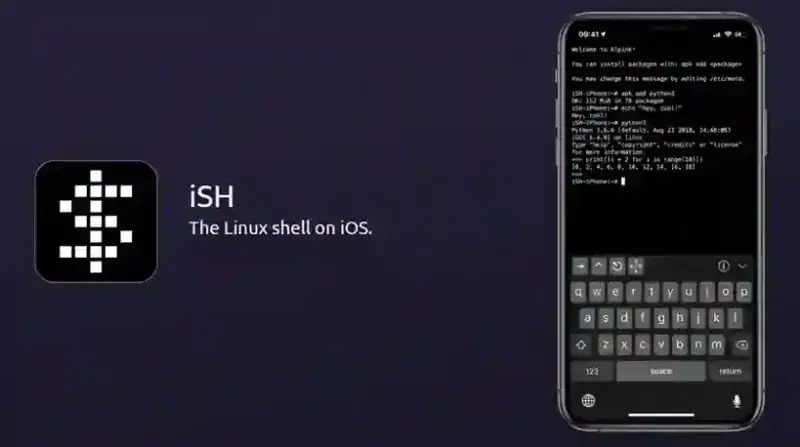
iSH puts a working Linux command line on an iPhone or iPad without a jailbreak. It is free, it is on the App Store, and it is not a remote session: the shell, the filesystem and the packages all live on the device.
How it actually works
iSH is not a virtual machine and it is not a native port. It runs an Alpine Linux userland through usermode x86 emulation combined with syscall translation — real x86 Linux binaries are interpreted instruction by instruction, and the Linux system calls they make are translated into something iOS will accept.
That design is why iSH is so compatible and why it is slow. The project's interpreter uses threaded code — an array of function pointers rather than a simple switch statement — which buys roughly a 3–5× speedup over the naive approach, but you are still paying an emulation tax on every instruction. Treat it as a place to run scripts and small tools, not to compile a large project.
One consequence catches people out: because the emulator is x86, ARM binaries you may have copied from a Raspberry Pi or an M-series Mac will not run. Everything has to come from Alpine's x86 repositories.
Installing and the first five minutes
Install iSH Shell from the App Store. The download is small — around 6 MB — because the Alpine root filesystem is fetched and unpacked on first launch. A TestFlight beta channel also exists for anyone who wants builds ahead of the store release.
The first thing worth doing is refreshing the package index:
apk update
A common misconception is that iSH "supports Bash, Zsh and Fish". What actually ships is BusyBox ash, the default Alpine shell. Bash, Zsh and Fish are all available, but you install them yourself:
apk add bash git python3 nano openssh
Package management: apk, not apt
If your Linux habits come from Debian or Ubuntu, the muscle memory will fight you. There is no apt-get here. Alpine uses apk:
apk add <package> to install, apk del <package> to remove, apk search <term> to look something up, and apk upgrade to bring everything current.
Alpine builds against musl libc rather than glibc. Most command-line software does not care, but the occasional binary or Python wheel that assumes glibc will refuse to work, and that is a limit of Alpine rather than of iSH.
The git clone hang — and the fix
The single most reported problem: git clone stalls at resolving deltas 0% and never moves. This is a threading issue under emulation, not a network fault. Force git to do the work on one thread:
git config --global pack.threads "1"
The clone will then complete, though slowly on a large repository. Note that this fixes the clone; it does not make everything downstream work. Toolchains that spawn many threads or expect a full glibc — Go builds are the usual example — can still fail after the checkout succeeds.
The limits worth knowing before you rely on it
iOS suspends backgrounded apps. Switch away from iSH during a long job and the system will eventually freeze or reclaim it. The project's wiki documents a workaround that keeps the app alive using the location background mode by reading /dev/location to /dev/null. It works, but it costs battery and it is a workaround, not a supported feature.
There is no JIT. Apple does not grant App Store apps the entitlement that would let iSH compile code at runtime, which caps how fast the emulator can ever be.
You are inside the app sandbox. iSH cannot touch the rest of iOS. It integrates with the Files app, so you can move data in and out, but "system-level access to iOS" is not what this is — that phrasing appears in a lot of write-ups and it is wrong.
iSH or a-Shell?
These two are the realistic choices and they are opposites.
a-Shell ships native, iOS-compiled binaries. It is fast and easy on the battery, but it is not a Linux distribution: there is no apk, no apt, no package manager at all, and no plan to add one. You get what the maintainer bundles.
iSH is a genuine Alpine system with thousands of installable packages, and it pays for that with emulation overhead.
Pick a-Shell if speed matters more than package choice. Pick iSH if you actually need a Linux distribution and can live with it being slow. And to settle a recurring question: Termux has never been ported to iOS. Anything on the App Store advertising itself as "Termux for iPhone" is not the Android project.
Where the project stands in 2026
Be clear-eyed about this. The App Store version is 1.3.2, released in May 2023 — there has not been a store release in over three years. The listing still holds a 4.7 out of 5 rating across roughly 1,200 ratings, and the app runs on iOS 11 and later.
The repository tells a livelier story: more than 20,000 stars, over 4,000 commits, and around 660 open issues. Development has not stopped, but the flow of finished releases to the App Store has slowed to a halt, and the open-issue count is a fair signal of the rough edges you will meet.
So is it worth installing?
Yes, with matched expectations. As a pocket Unix environment — writing and running shell scripts, editing files with vim or nano, quick Python, SSH into a real server, git operations, poking at a text file at 2 a.m. because you are away from a computer — it does the job and nothing else on iOS does it as completely.
As a development machine it will frustrate you. Compilation is slow, long jobs die when the app goes to the background, and some packages simply will not cooperate. Our earlier verdict on this page was that iSH "needed more work"; three years on, that still holds — the difference is that we can now say exactly where the friction is instead of leaving it at an impression.