
Roblox's zombie meat grinder Build and Kill Zombies doesn't chase survival horror; it chases pure destructive fun. In this game, which is built around sending a vehicle down hills and mowing through the crowd in front of you, there is only one way to progress: making your machine constantly stronger, more durable, and faster. That's exactly where codes come in, because they can add resources like cash and Hacker Tokens that you'd otherwise need to collect in-game to your account within seconds.
As of September 2026, there are five working codes, and their total value means a serious starting advantage for someone new to the game. What's more, you don't need to play for a long time, reach a certain level, or spend money to use the codes. All you have to do is complete the tutorial, enter the store, and type the code correctly. In this article, we cover in detail which codes are valid, what the rewards actually do in-game, and where you can follow new codes.
What kind of game is Build and Kill Zombies exactly?
As its name suggests, Build and Kill Zombies is based on a two-stage loop: build and kill. The player first builds a vehicle with a limited budget, then drives it over zombie hordes to both have fun and collect rewards. As you roll downhill, your vehicle's mass and power directly determine your performance; that's why parts like engines, storage, and seats become necessities rather than luxuries.
The game's appeal lies in completely reversing the cautious sense of progression in classic zombie games. Instead of sneaking through corridors and hunting zombies one by one, you dive straight into the middle of the crowd. It offers something similar to what Dead Rising did in the late 2000s, but this time not as a nostalgic reference, but with a much faster and more arcade-focused take. This approach makes the game satisfying even in short sessions.
As you upgrade your vehicle, the option to play with friends also becomes more meaningful. Adding a passenger seat allows your team to ride in the same vehicle and go after larger hordes together. That's why parts like the "passenger seat" seen among the rewards, though they may seem decorative at first glance, actually directly affect social gameplay.
Build and Kill Zombies codes valid in September 2026
The following codes are working as of the date this guide was prepared. Each code addresses a different need depending on its reward; some provide cash directly, while others add physical parts to your vehicle. The most notable part of the list is the two codes that give Hacker Tokens, because tokens become much more critical in the later stages of the game.
- COMMUNITY — Small engine or storage and 1,000 cash
- CashDrop — 500 cash
- MOREFRIENDS — Two passenger seats
- HACKER — 50 Hacker Tokens
- 1x1x1x1 — 150 Hacker Tokens
Looking at the names of the codes, it's clear the developers are following a community-focused strategy. Names like "COMMUNITY" and "MOREFRIENDS" use language that encourages players to invite others to the game and play together. "1x1x1x1," on the other hand, is a long-standing reference in the Roblox ecosystem; such naming is generally read as a nod to the community's own culture.
Using all of these codes in succession earns you several thousand cash and a total of 200 Hacker Tokens. For a new player, this amount is generous enough to build the vehicle's basic frame and make the first serious upgrades. For experienced players, these resources allow them to build a new setup to test their existing vehicles.
What do the rewards actually do in-game?
Cash is the backbone of Build and Kill Zombies. Almost all the parts you see in the store are bought with cash, and one of the slowest ways to earn money in-game is killing zombies. The 1,000 and 500 cash from codes therefore directly save time, because you'd have to play quite a few rounds to collect the same amount. This shows that the real value of the codes is speeding up the game's pace.
Mechanical parts like engines and storage directly affect performance. A stronger engine lets your vehicle accelerate more downhill, while extra storage helps you stay on the road longer. So while the "small engine or storage" reward may seem modest at first glance, it genuinely changes your vehicle's operating time and speed. Getting these parts early allows you to handle much larger hordes in later rounds.
Hacker Tokens, however, are a different category. The 50 and 150 token packages from codes stand out as the most generous rewards on the list. The place of these tokens in the game is outside the normal cash economy; that is, they are not a resource you can easily accumulate every round. For this reason, using the codes that give Hacker Tokens before they expire is especially important.
How to use the codes: A step-by-step guide
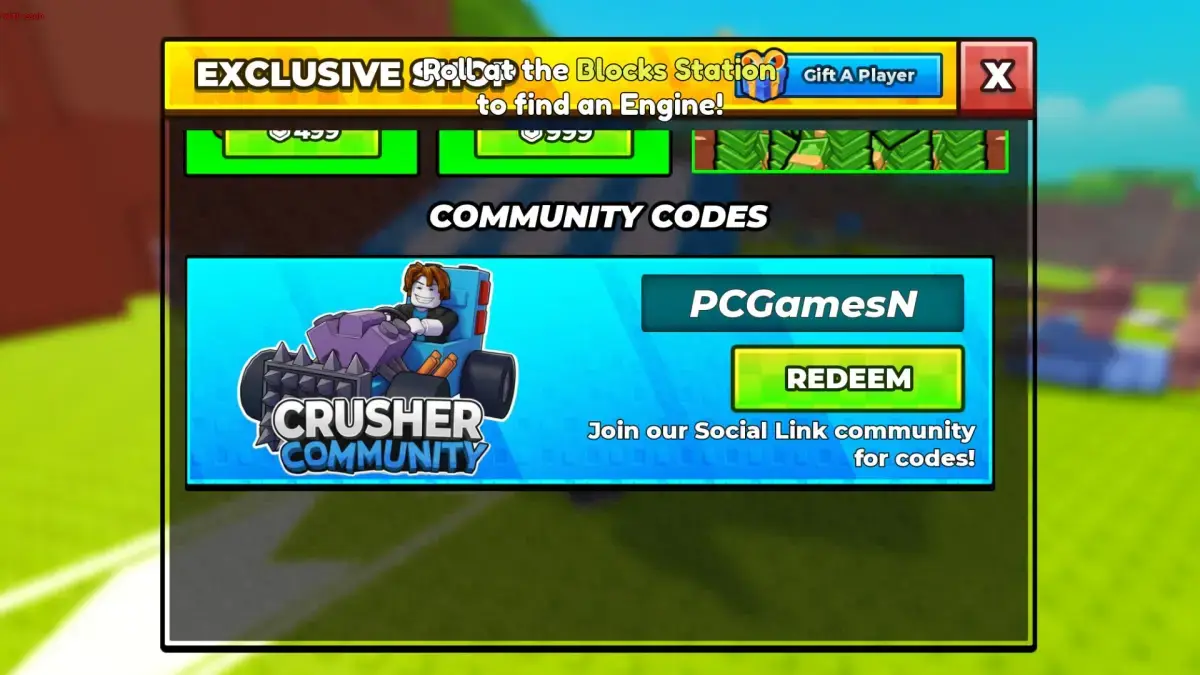
Using codes in Build and Kill Zombies is a fairly simple process, but if you skip a single step, you won't reach the code field at all. In particular, remember that store interaction doesn't open until you complete the tutorial. By following the order below, you can use your codes within seconds:
- Launch Build and Kill Zombies through Roblox.
- Complete the game's tutorial section.
- Enter the store hut on the map.
- Scroll the store window all the way to the bottom.
- Type one of the valid codes into the code field.
- Press the confirm button and see the reward added to your account.
While typing the codes, pay attention to capitalization and make sure you don't accidentally add spaces between words. Codes generally must be entered exactly as given; adding a space at the beginning or end can cause the code to be considered invalid. Also, trying to use the same code a second time won't work, because these codes work once per account.
After claiming the reward, we recommend checking your inventory. Cash and tokens usually appear in your account instantly, while physical parts like engines or seats should appear on the vehicle-building screen. If the reward doesn't appear, restarting the game solves the issue in most cases.
Where can you follow new codes?
In Build and Kill Zombies, codes are not published in the game's description, so refreshing the game page alone won't help. Following the game's event list can be useful for predicting when updates will arrive. However, for the codes themselves, you need to check the developers' official Discord server.
Once you enter the server, there is a dedicated section for codes in the channel list on the left side of the screen. The team shares new codes here by updating a single message, which makes the list easier to follow. Considering that the first code group was published on September 12 and five rewards could be claimed at once that same day, it's fair to say the developers distribute codes quickly through the community channel.
If browsing Discord feels like a hassle, following updated lists on search engines is also a practical option. In games like this, where codes change frequently and expired ones are removed from the list, checking multiple sources is the healthiest approach. Especially during major update periods, it's common for new codes to arrive one after another.
The most common mistakes when using codes
The point where players get stuck most often is starting to look for the code field before completing the tutorial. Since the store hut doesn't work properly until the tutorial is finished, you can't reach the code entry screen; this creates the impression that "the codes don't work." Another common problem is invisible characters accidentally added when copying codes. Typing them manually can sometimes be more reliable than copy-pasting.
Some codes become invalid after a certain period, so there's no need to panic when a code on the list doesn't work. Most of the time, the problem isn't the code itself, but that it has been retired. Also, don't forget that each code can only be used once and won't give a reward if tried again on the same account.
Misreading the in-game value of rewards is also a common mistake. While cash and tokens can be spent immediately, parts like engines or seats only work once installed on your vehicle. Instead of letting these parts sit in your inventory, installing them on the vehicle as soon as possible lets you truly use the advantage the codes provide.
What do these codes say about the game's future?
A game publishing this many codes shortly after release is a sign that the developers are trying to grow the player base quickly. Names like "COMMUNITY" and "MOREFRIENDS" are no coincidence; these codes directly reward friend invites and community participation. The codes weighted toward Hacker Tokens, meanwhile, aim to draw players into the game's deeper progression system.
It's not hard to predict how code distribution will take shape in the coming period. New codes will most likely continue to arrive during event periods, new updates, and special dates. Likewise, it's expected that some currently working codes will be disabled in the coming weeks. So using codes the moment you learn about them is better than saying "I wish I'd claimed them earlier" later.
In conclusion, codes in Build and Kill Zombies are the most practical way to speed up the game's slowest progression. When you use all five codes, you can both build a solid foundation for your vehicle and make a serious start on your Hacker Token savings. Keeping the list updated as new codes arrive and visiting the store as soon as you finish the tutorial will move you a few steps ahead in this fast-paced zombie meat grinder.