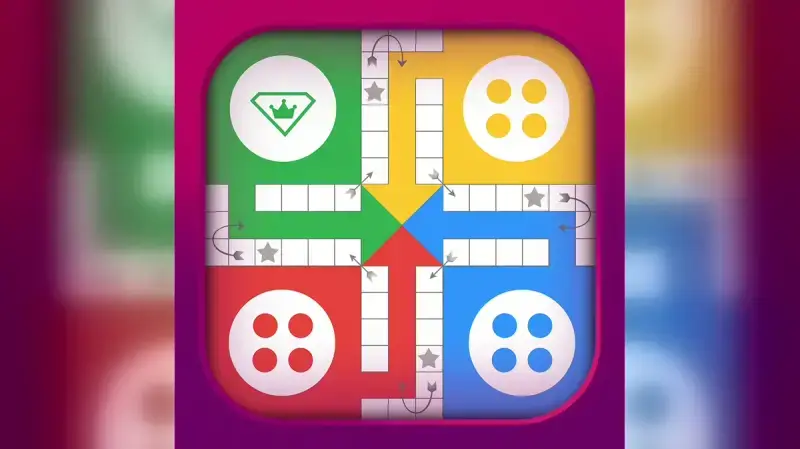
In Ludo STAR you need gold to sit down at a table and gems to take back a roll when a match turns against you. Both currencies can be bought in the game's shop, but there are also official ways to keep your wallet topped up without spending money, as long as you drop in regularly. This guide gathers the free gem and gold methods that appear in developer Gameberry Labs' own materials as of October 2026: its FAQ page, its terms of service and the game's store descriptions. We don't recommend cheats, modified apps or gem generator sites, and a separate section explains why they put your account at risk.
Ludo STAR has been on mobile since 2017, and the current App Store build is version 1.372.1, released on September 25, 2026. Its Google Play listing clearly states that the game contains ads and in-app purchases, so for anyone playing for free, ads and daily rewards are a natural part of the game. Once you understand that system, you won't panic the moment your gold runs out. Let's first look at what the two currencies actually do, then go through the methods for gems and gold one by one.
What Gold and Gems Are For
Gold is Ludo STAR's main playing currency. When you start a match, you put your gold at stake, and in two-player matches, beating your opponent means you take the gold they put in as well. The amount credited when you win is your own stake coming back plus your opponent's stake, so your real profit equals the opponent's bet. The game's official FAQ gives exactly this explanation to players who feel they only ever win half the amount. In short, gold works like a bankroll that grows when you win and shrinks when you lose.
Gems are the second currency, and the use the FAQ describes for them is the undo feature: spending gems lets you cancel your last roll as if it never happened. Because wiping out a bad roll at a key moment can change the outcome of a match, gems tend to feel more valuable than gold. There's an important detail here: according to the FAQ, there's no way to convert gold into gems or gems into gold, and no direct way to gift gold or gems to a friend either. In clubs you can exchange gifts such as a falcon, cars, a rose or a phoenix with friends, but these aren't described as a way to transfer currency. That means you have to build up each currency separately; having plenty of one won't cover a shortage of the other.
The Main Route to Free Gems: Lucky Dice
The route the FAQ describes for earning free gems is Lucky Dice, a small mini-game. To use it, you connect the game to your Facebook account and send lucky dice to your Facebook friends; when a friend rolls a die you sent, you get one back in return. Once you have three lucky dice, you roll them and earn free gems based on the pattern that comes up. The pattern the FAQ spells out is a sequence: the numbers must run in increasing or decreasing order, such as 2-3-4 or 4-3-2. A result like 2, 4, 3 uses the same numbers but is out of order, so it doesn't count as a sequence.
The lucky dice system has two practical limits. First, according to the FAQ you can hold a maximum of 52 dice at a time, so rather than sitting on a full counter, it makes sense to use what you've collected regularly. Second, dice exchange is currently limited to your Facebook friends; you can't send lucky dice to the "game buddies" you meet and add during matches. According to the App Store description, you can log in with Facebook and invite friends to play, and the FAQ notes that Facebook friends who install the game appear in your friend list automatically. A small but steady group of friends who send dice back and forth every day is far more productive than going it alone.
Check In Daily: Daily Cards and the Magic Chest
Daily cards are one of the reward routes highlighted in the game's App Store description. In the developer's own words, you can send lucky dice to your friends and pick daily cards to earn gold, gems and more. The description doesn't explain in detail how the cards work. One thing to watch: the App Store's in-app purchase list also includes a paid item called "Pick A Card." To avoid mixing up your free daily pick with a paid purchase, just check whether a price is shown on the screen before you confirm.
Your second daily stop is the Magic Chest. The official FAQ describes it as a mystery gold box that becomes available every 24 hours, and the amount of gold inside isn't fixed. The FAQ also says the chest can be bought in the store, so here too it pays to tell a free opening apart from a paid one. In the App Store screenshots, the bar at the bottom of the home screen shows a separate Chest tab alongside Shop, Friends and Collections. On days when your gold is running low, opening the chest is one of the quickest ways to get back to a table.
Where Gold Really Comes From: Matches, Leagues and Video Ads
As useful as the free routes are, what really grows your gold in Ludo STAR is winning matches. Since your opponent's bet moves into your bankroll with every win, picking tables that suit your balance keeps a single bad streak from wiping you out. Jumping straight to a higher-stakes table to win back a loss only puts your bankroll at greater risk. Leagues round out the picture: according to the FAQ, you need to reach Level 4 and win a game to play in leagues, and you start in the Bronze league. Your level rises with the experience points (XP) you earn when you capture an opponent's token or bring one of your own tokens home. The developer's game page mentions a six-tier league leaderboard; rankings run weekly, and winning public games is what moves you up.
The game also has its own answer for when your gold runs out completely. The official FAQ suggests opening the Magic Chest or watching video ads to get free gold after losses leave you empty-handed. The same answer makes it clear that ads can run out too: if you've used up your ads and already opened the chest, the FAQ says the only option left is to buy gold. The "Contains ads" label on the Google Play listing also shows that ads are part of the game. That's why it makes sense to save your ads for the moments when your gold is genuinely running low.
Events and the Season Pass
Beyond the daily routine, the game also has content that changes over time. The developer's game page says the game runs special events every week, and the Google Play description mentions quick play events built around Speed Dice. According to the same description, the game has a Season Pass that starts a new season every six weeks: as you complete goals, you climb a rewards track and unlock exclusive collectibles. The description doesn't say whether those rewards include gold or gems, or which part of the Season Pass is free, so check the Season Pass screen in the game.
The Google Play description also suggests following the game on Facebook and Instagram for exclusive offers and bonuses; reaching those accounts through the links in the store description lowers the risk of landing on copycat pages. Since event content can change from one period to the next, the in-game announcements are the most reliable place to follow it. The official sources we reviewed don't state how many gems or how much gold an event gives.
Stay Away From Cheats, Mod APKs and Gem Generators
Cheat apps promising unlimited gems, modified mod APK files and gem generator sites show up for anyone searching this topic. Gameberry Labs' FAQ is clear: it says the system is secure and that there are no hacks that give free gems or gold. The same page warns that sites promising free gems or gold and asking for your Facebook or Gmail details can cost you those accounts. The terms of service also prohibit reverse engineering or copying the game's software and attempting unauthorized access through hacking. Under the terms, Gameberry can suspend or end the service without prior notice if they are breached, and it reserves the right to suspend an account with immediate effect and for an indefinite period if it believes the account's security has been compromised.
Account sharing and trading fall into the same risk group. According to the FAQ, selling, buying, sharing or giving away game accounts goes against the terms of service, and moving gold or gems from one account to another counts as cheating. The only place to buy gold or gems is the in-game shop, with payments processed by Google or Apple; the FAQ says third-party sites and Facebook pages claiming to sell gold or gems aren't safe, and buying through any other channel can get your account terminated for illegal trading of coins and gems. According to the FAQ, theft usually happens when someone gains access to your Facebook account and login details, or when the game is left signed in on someone else's device. Because Gameberry Labs doesn't take responsibility for refunding stolen gold or gems, email support@gameberrylabs.com right away and ask them to block the account; for details, see Gameberry Labs' official Ludo STAR FAQ page.
Summary: A Daily Routine for Free Gems and Gold
If you want to turn all of these methods into a single daily routine, you can follow this order:
- Connect the game to your Facebook account and send and receive lucky dice with friends who play Ludo STAR.
- Roll once you have three lucky dice; an increasing or decreasing sequence earns gems. Don't let your counter sit at the 52 limit.
- Make your daily card pick and don't confuse your free pick with a paid purchase.
- Open the Magic Chest for free whenever its wait is over.
- If you've run out of gold, watch video ads for free gold, keeping in mind that ads aren't unlimited.
- Play at tables that suit your balance and keep an eye on your weekly league ranking.
- Check the weekly events and the Season Pass screen.
- Stay away from cheats, mod APKs, gem generators and account sharing.
In Ludo STAR, free gems and gold build up through a few minutes of steady attention each day rather than one big windfall. Saving gems for undos at critical moments and using gold at tables that match your balance makes your free resources last longer. Because the game is updated regularly, menu names and reward screens can change over time, and it's worth noting that the developer's FAQ page carries no date. If a feature doesn't look the way it's described here, writing to the support address is the most reliable option. An account played patiently and by the rules will outlast any shortcut that promises cheats.